Manual Purchase Flow
The manual purchase flow is an advanced workflow for applications that need direct control over purchase acknowledgement and consumption.
Unlike the standard automatic purchase flow, the plugin does not acknowledge or consume purchases returned through the manual flow.
This workflow is not required for the standard plugin integration. Use it only when the application needs custom purchase validation or processing.
Note
Use the standard Purchase Flow for most projects.
Manual processing is intended for advanced integrations that need to validate or process purchases before acknowledging or consuming them.
When to Use Manual Processing
Manual processing is useful when the application needs to:
- Validate purchases through a backend.
- Grant content through a server.
- Complete internal processing before acknowledging a purchase.
- Control when a consumable product is consumed.
- Integrate purchases with a custom account or entitlement system.
The manual flow provides more control, but the application is responsible for completing the purchase correctly.
Launch a Manual Purchase
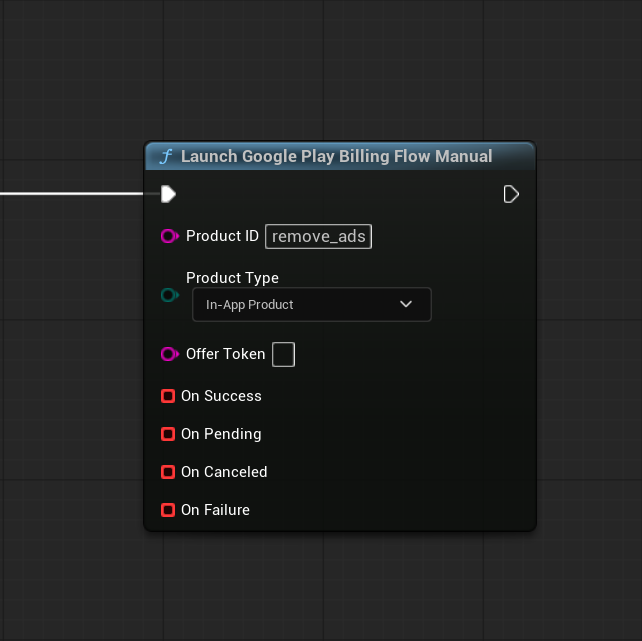
Use Launch Google Play Billing Flow Manual to start a purchase without automatic acknowledgement or consumption.
The function uses the same Product ID, Product Type, and optional Offer Token as the standard purchase flow.
For information about these parameters, see Purchase Flow.
Complete the Purchase Manually
When On Success is called, the purchase has completed, but the plugin has not acknowledged or consumed it.
Use the returned Google Play Billing Purchase to retrieve the Purchase Token.
Complete the purchase according to its type:
- Consumable one-time product — call Consume Google Play Purchase.
- Non-consumable one-time product — call Acknowledge Google Play Purchase.
- Subscription — call Acknowledge Google Play Purchase.
Important
Consumable products do not need to be acknowledged separately before consumption.
Consume Google Play Purchase completes the required confirmation for a consumable purchase, removes its current ownership, and allows the same product to be purchased again.
Do not call both Acknowledge Google Play Purchase and Consume Google Play Purchase for the same consumable purchase.
Acknowledge a Purchase
Use Acknowledge Google Play Purchase for:
- Non-consumable one-time products.
- Subscriptions.
Pass the Purchase Token returned by the manual purchase flow.
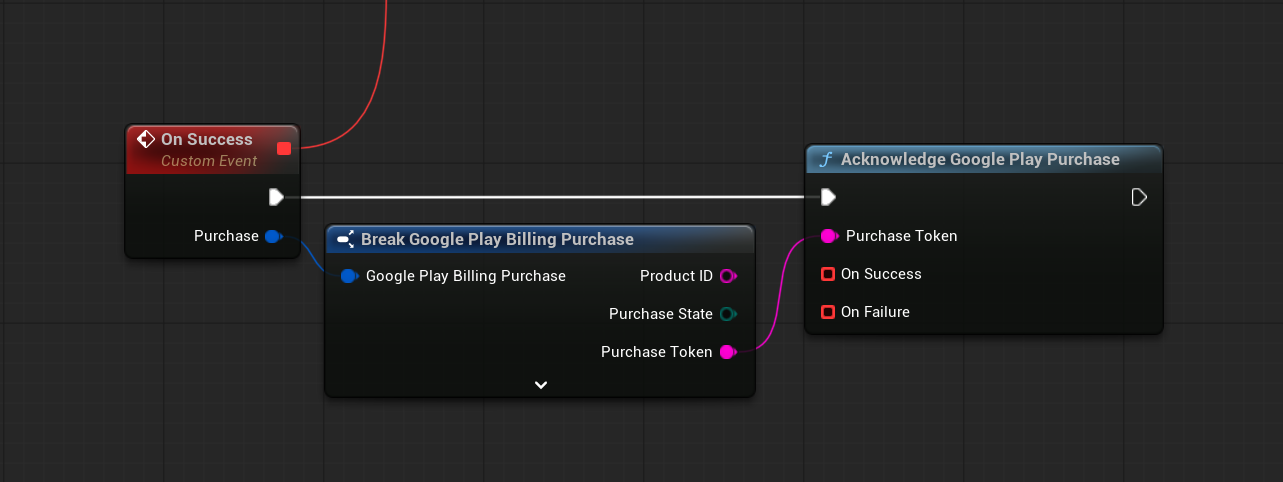
On success, Google Play has accepted the acknowledgement.
If acknowledgement fails, keep the Purchase Token and handle the error according to the application’s purchase recovery logic.
Warning
Do not acknowledge a purchase while it is still pending.
Acknowledge only purchases that have completed successfully.
Consume a Purchase
Use Consume Google Play Purchase for consumable one-time products.
Pass the Purchase Token returned by the manual purchase flow.
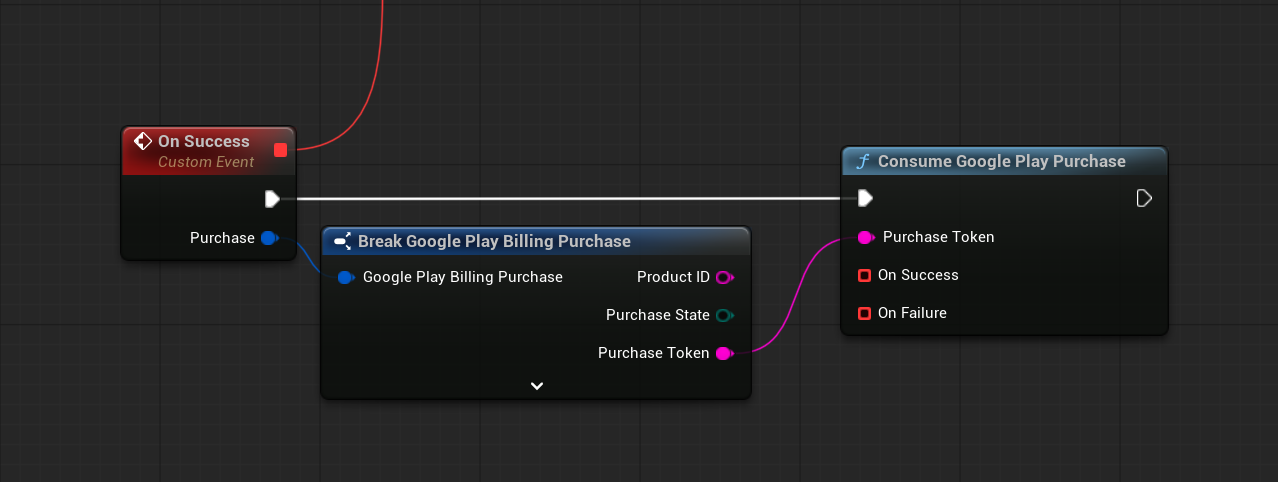
After consumption succeeds:
- The purchase is removed from the user’s current ownership.
- Google Play allows the same product to be purchased again.
Do not consume non-consumable one-time products or subscriptions.
Important
Grant consumable content only once before completing consumption.
Save the granted content in the application’s own persistent data or backend system.
Important Requirements
When using the manual purchase flow:
- Do not process a purchase from On Pending.
- Do not consume non-consumable products or subscriptions.
- Do not grant consumable content more than once.
- Keep the Purchase Token until acknowledgement or consumption succeeds.
- Handle acknowledgement and consumption failures.
The non-consumable product list is used by the automatic purchase flow. In the manual flow, the application decides whether a one-time product should be acknowledged or consumed.
Next Step
For advanced C++ integrations, see C++ Usage.
This section is not required for the standard Blueprint workflow. It is intended for projects that need to access the plugin directly from C++.