C++ Usage
This section shows how to use the Third Person Camera Component in C++.
All functionality available in Blueprint is also accessible in C++, allowing full runtime control over the camera system.
Enable C++ Access
To access the Third Person Camera plugin from C++ code, the plugin module must be added to your project’s Build.cs file.
Open your project’s *.Build.cs file and add "PloxToolsThirdPersonCamera" to the public dependency modules list:
PublicDependencyModuleNames.AddRange(
    new string[]
    {
        "Core",
        "CoreUObject",
        "Engine",
        "PloxToolsThirdPersonCamera"
    }
);
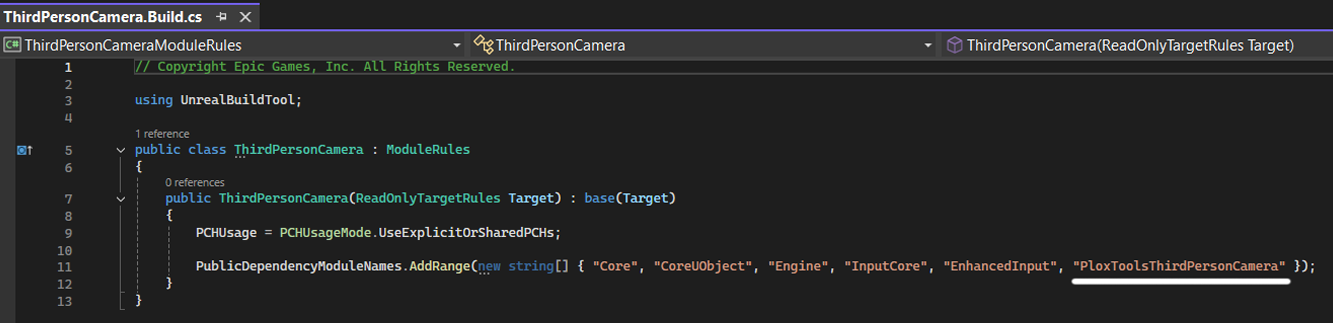
Once the module is added, you can include the plugin’s code in your C++ classes.
Available Headers
The plugin exposes several public headers that can be included depending on your use case.
Main Headers
ThirdPersonCameraComponent.h- Main component class. Provides full control over the camera system, including runtime functions, state queries, and access to all camera featuresThirdPersonCameraSettingsAsset.h- Defines the Settings Asset used to store and apply complete camera configurationsThirdPersonCameraSplineActor.h- Actor used for spline-based camera movement. Required when working with spline camera modesThirdPersonCameraTypes.h- Contains shared types used across the plugin such as structs and enums
These headers provide everything needed to work with the camera system in C++.
Using the Component in C++
The Third Person Camera Component is used in C++ the same way as any standard Unreal Engine component.
You can add it to your character either in C++ or in a Blueprint.
Adding Component to Your Character
Include the component header:
#include "ThirdPersonCameraComponent.h"
Declare the component in your header:
UPROPERTY(VisibleAnywhere, BlueprintReadOnly, Category = Camera, meta = (AllowPrivateAccess = "true"))
UThirdPersonCameraComponent* ThirdPersonCamera;
Then create it in your character constructor:
ThirdPersonCamera = CreateDefaultSubobject<UThirdPersonCameraComponent>(TEXT("ThirdPersonCamera"));
The component will automatically detect and control the attached CameraComponent at runtime.
Usage
Once added, all camera functionality is available through the component.
You can call any camera function directly from C++ in the same way as in Blueprint.
Example:
ThirdPersonCamera->SetCameraDistance(400.f, 0.3f);
For a full list of available functions, refer to the API Reference.
Notes
- All functions can be called at runtime
- The component manages its own internal state
- Some functions may be ignored when Focus or Spline is active (for example camera rotation overrides)