Framing
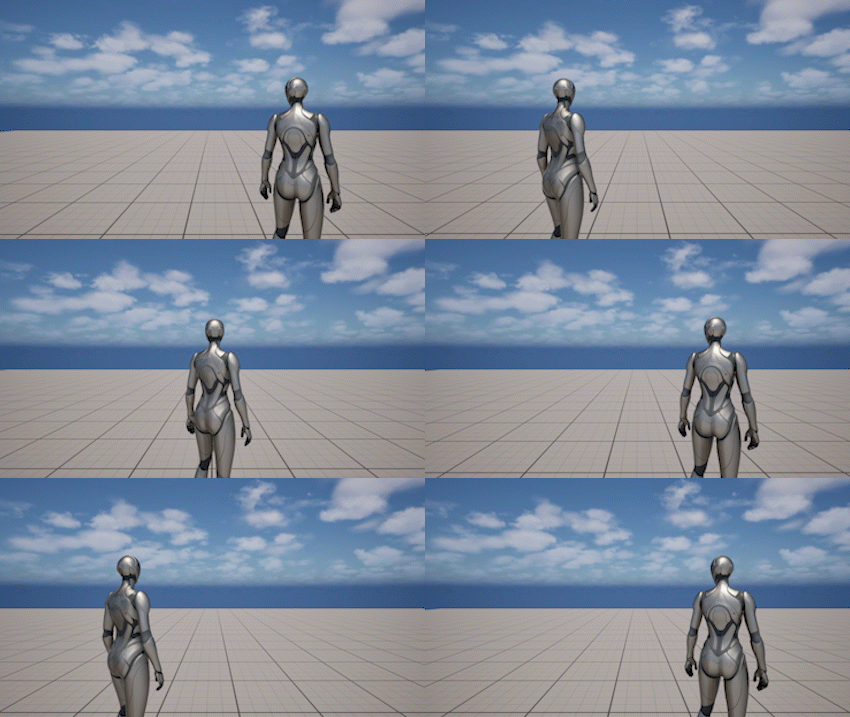
Camera Offset
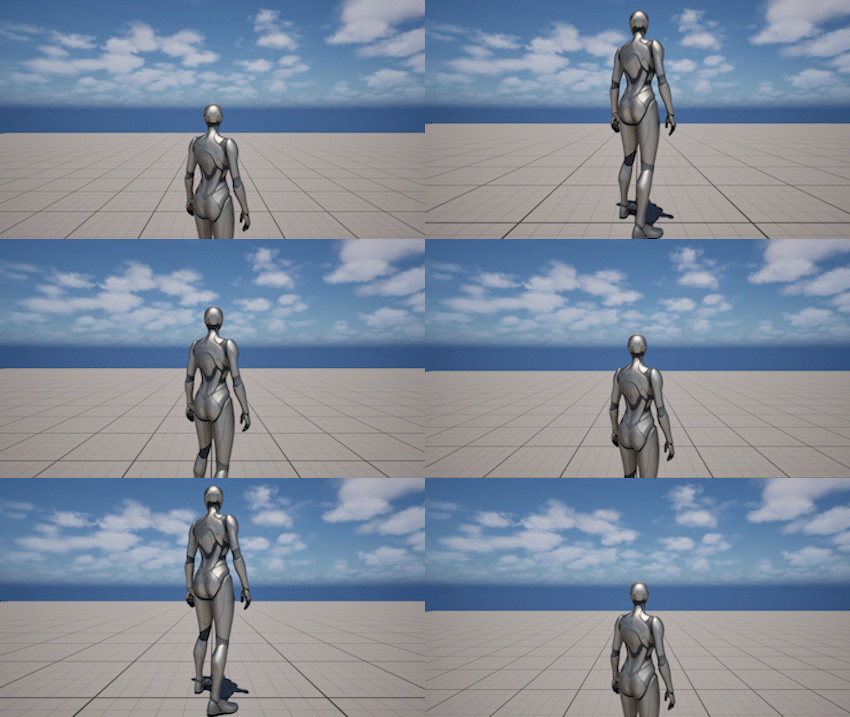
Pivot Offset
The Framing system defines the default spatial relationship between the character, the camera pivot, and the final camera position.
It is responsible for the core shape of the camera:
- how far the camera stays from the character
- how high the pivot sits
- how the camera is offset for shoulder or cinematic framing
- how runtime framing changes are blended during gameplay
Settings
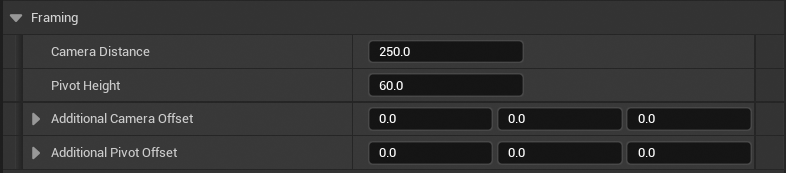
The framing system is defined by four core parameters. These parameters define the default camera layout before any runtime changes are applied.
- Camera Distance - сontrols how far the camera stays from the pivot in its default unobstructed state
- Pivot Height - сontrols the vertical position of the pivot relative to the actor origin. This defines the center of rotation for the camera
- Additional Camera Offset - applies a local offset to the final camera position. Used for framing adjustments such as shoulder cameras or asymmetrical layouts
- Additional Pivot Offset - applies an offset directly to the pivot after pivot height is calculated. This shifts the center of rotation itself rather than the final camera position
Runtime Blending
Runtime framing changes are applied as temporary overrides on top of the base camera settings.
These overrides:
- do not modify base settings
- are applied at runtime only
- can be combined and layered
All changes are smoothly interpolated from the current state to a target state.
Blending is controlled by:
- Blend Time - duration of the transition
- Blend Curve - optional curve shaping the interpolation
By default, a smooth ease curve is used to provide natural camera motion during blending.
In some cases where responsiveness is more important than smoothness, a linear transition may be preferred.
To achieve this, you can create a custom CurveFloat asset with a linear shape (keyframes from 0 to 1) and pass it as the BlendCurve parameter in framing functions.
SetFraming
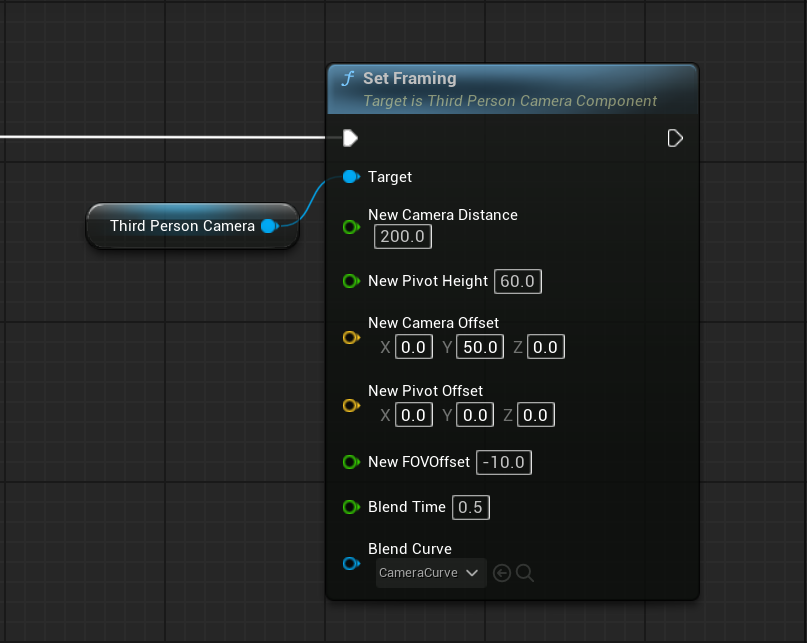
Set Framing applies all major runtime framing values at once:
- camera distance
- pivot height
- camera offset
- pivot offset
- FOV offset
Use it when multiple parameters should change together as part of a single transition.
ResetFraming
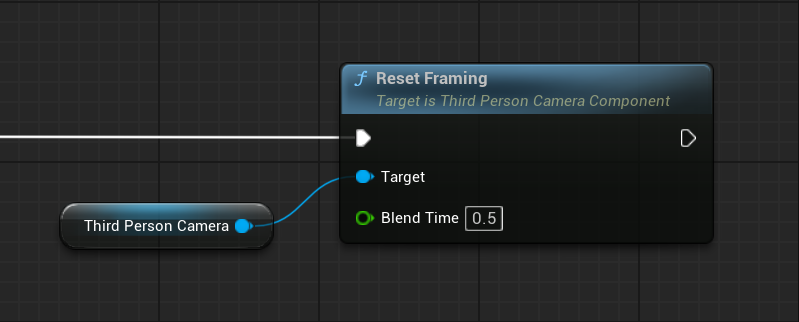
ResetFraming returns all runtime framing values back to their base settings over time.
Individual Runtime Controls
You can also control framing elements individually:
- Set Camera Distance / Reset Camera Distance
- Set Pivot Height / Reset Pivot Height
- Set Camera Offset / Reset Camera Offset
- Set Pivot Offset / Reset Pivot Offset
- Set FOV Offset / Reset FOV Offset
Shoulder Switching
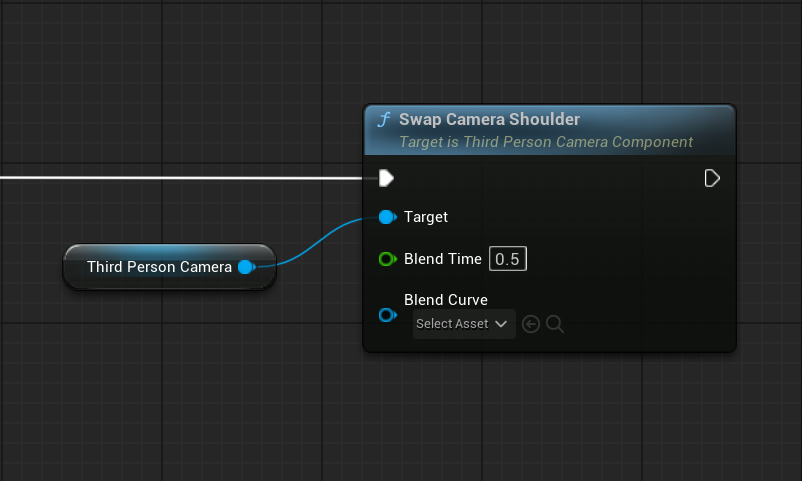
Swap Camera Shoulder mirrors the final camera shoulder by flipping the current runtime Y offset around the center line.
The base Additional Camera Offset value is not modified.
Visual Examples
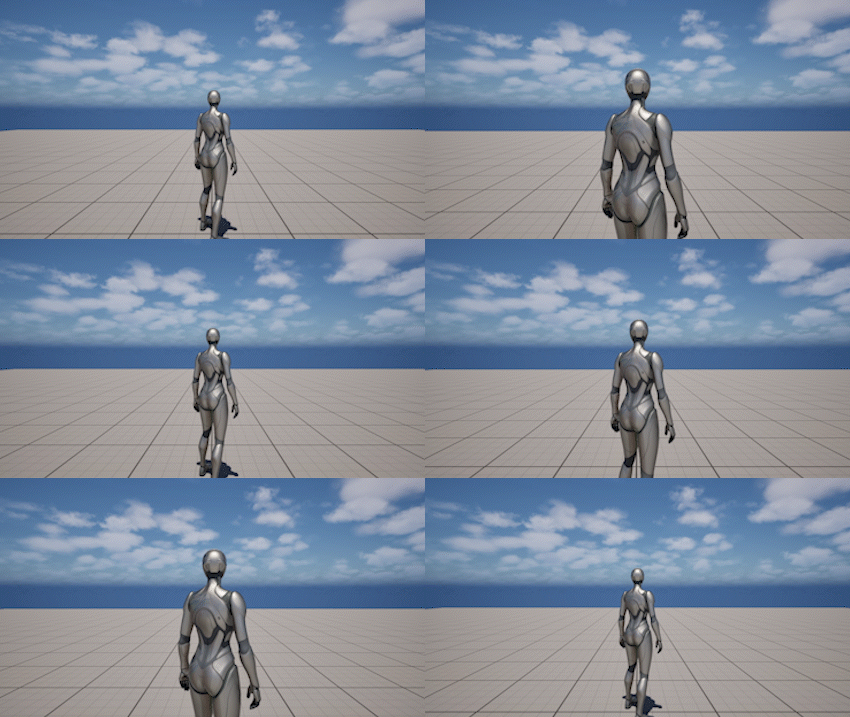
Camera Distance
Camera Distance controls how far the camera stays from the pivot in its default unobstructed state.
Lower values create a closer framing. Higher values place the camera further away from the character.
This behavior is controlled at runtime using Set Camera Distance.
Camera Offset
Additional Camera Offset changes the final framing of the camera without moving the pivot itself.
This is commonly used for:
- shoulder cameras
- asymmetrical framing
- action and shooter-style layouts
Camera offset is applied within the current camera distance.
If the offset would place the camera farther from the pivot than the allowed camera distance, it is effectively limited.
To move the camera further away from the character, increase Camera Distance instead of using Camera Offset.
This is driven by Set Camera Offset.
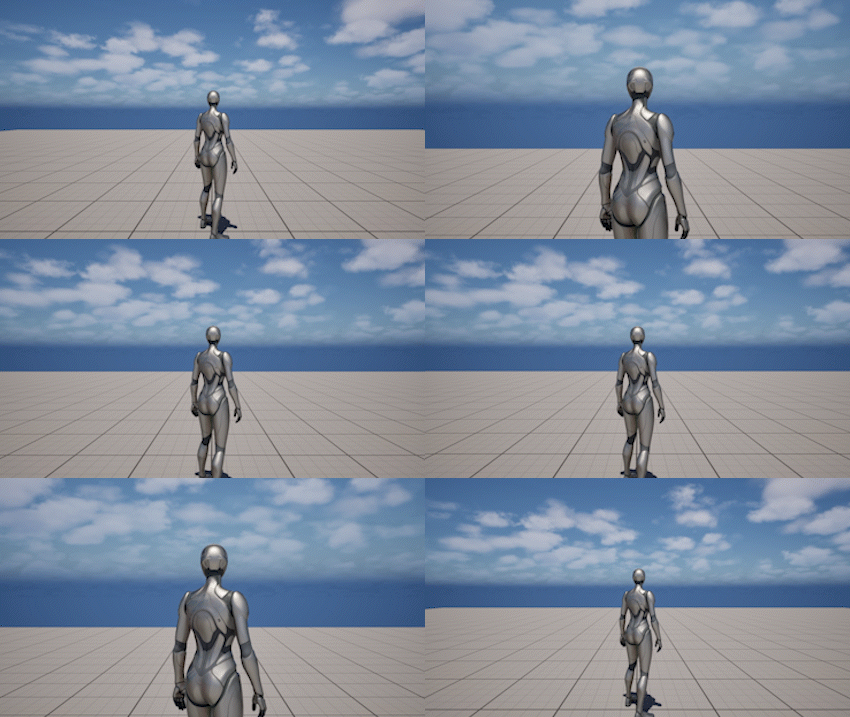
Pivot Height
Pivot Height moves the pivot vertically and changes the orbit center of the camera.
This affects the overall composition of the shot and can make the camera feel:
- lower and heavier
- higher and more overview-oriented
- more suitable for specific character proportions or gameplay needs
At runtime, this is adjusted using Set Pivot Height.
FOV Offset
FOV Offset changes the field of view at runtime without modifying the base camera FOV.
This is useful for:
- temporary zoom in or zoom out
- sprint framing
- combat emphasis
- scripted transitions
This effect is applied using Set FOV Offset.
Runtime Control
The Framing system is controlled through runtime functions.
For a complete list of functions and parameters, refer to the API Reference.
Main Functions
- Set Framing - sets all runtime framing parameters at once
-
Reset Framing - resets all runtime framing values back to base settings
-
Set Camera Distance - blends the runtime camera distance to a new value
-
Reset Camera Distance - resets the runtime camera distance to the base value
-
Set Pivot Height - blends the runtime pivot height to a new value
-
Reset Pivot Height - resets the runtime pivot height to the base value
-
Set Camera Offset - blends the runtime camera offset to a new value
-
Reset Camera Offset - resets the runtime camera offset to zero
-
Set Pivot Offset - blends the runtime pivot offset to a new value
-
Reset Pivot Offset - resets the runtime pivot offset to zero
-
Set FOV Offset - blends the runtime FOV offset to a new value
- Reset FOV Offset - resets the runtime FOV offset to zero
Notes
- Runtime framing changes do not modify the base settings stored on the component
- Get Camera Offset and Get Pivot Offset return the base offset values
- Get Current Camera Offset and Get Current Pivot Offset return the current runtime offset values
- Get FOV Offset returns only the runtime FOV offset and does not include pitch-based FOV effects
- Camera collision may compress the final result, so the visible camera position can be closer than the desired camera distance
- Camera offset and pivot offset are not interchangeable: pivot offset changes the center of rotation, while camera offset changes the final framing around that center
- Set Framing is the best choice when multiple framing parameters should transition together as one intentional camera state