Core Concepts
This section explains the core ideas behind the Third Person Camera System. Understanding these concepts will help you correctly configure the camera and use the API without unexpected behavior.
Pivot-Based Camera
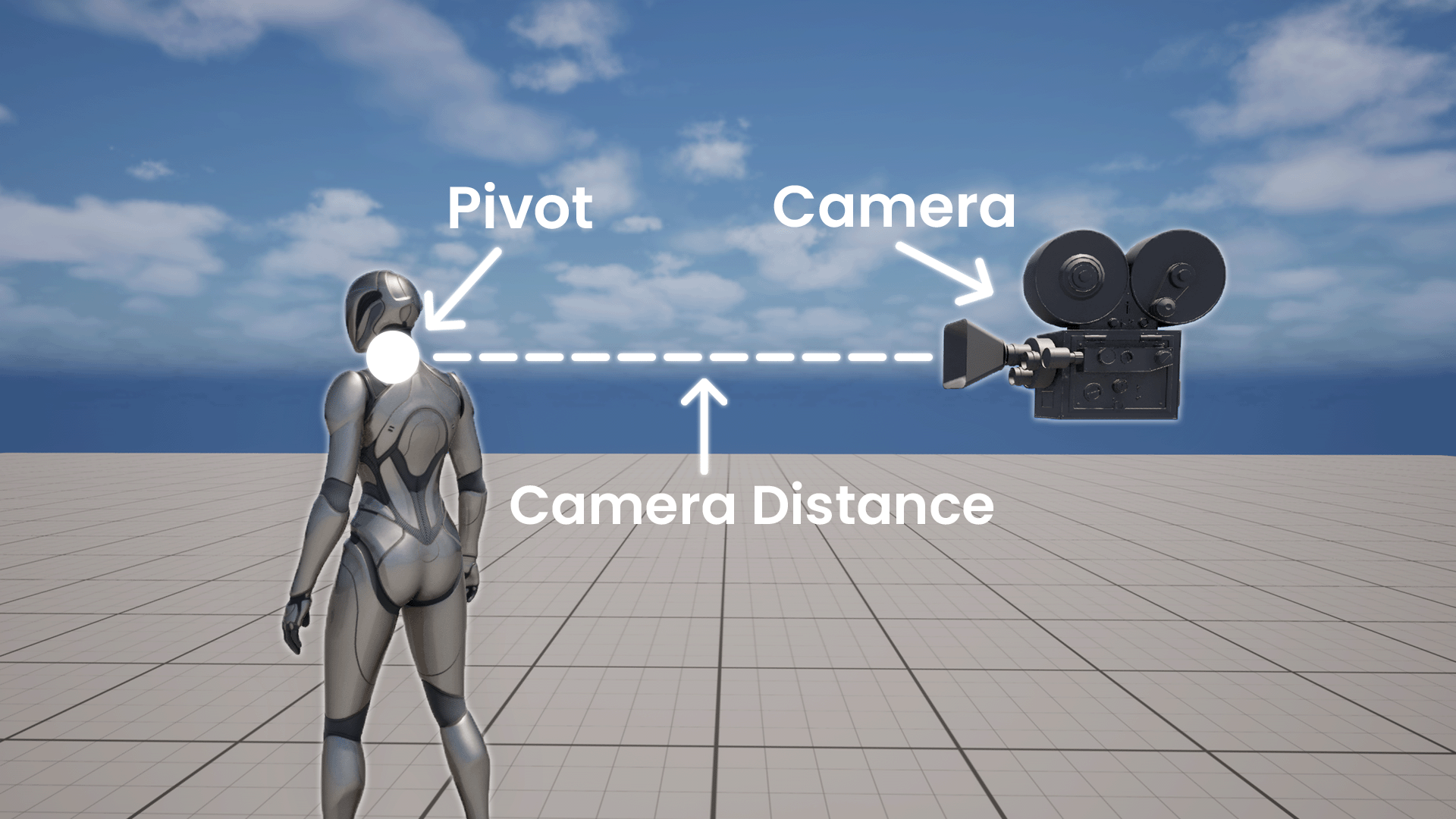
The camera system is built around a pivot point, which acts as the origin for all camera calculations.
The final camera position is always computed relative to this pivot:
- The pivot defines where the camera orbits around the character
- Camera distance is measured from the pivot
- Rotation is applied around the pivot
Unlike traditional setups, this system does not rely on a SpringArm. The entire camera transform is calculated manually, providing full control and predictable behavior.
Camera Distance
CameraDistance defines the base distance between the pivot and the camera.
This value:
- represents the desired camera distance in an unobstructed state
- is used as the reference for collision and runtime adjustments
Camera collision and runtime offsets do not replace this value. Instead, they modify the effective distance relative to it.
Camera Offset and Pivot Offset
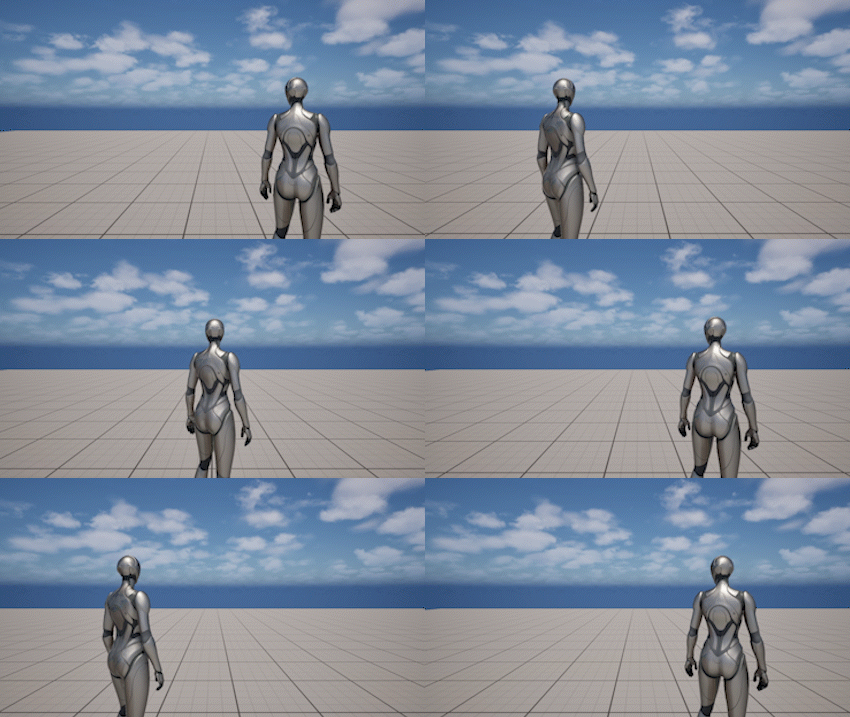
Camera Offset
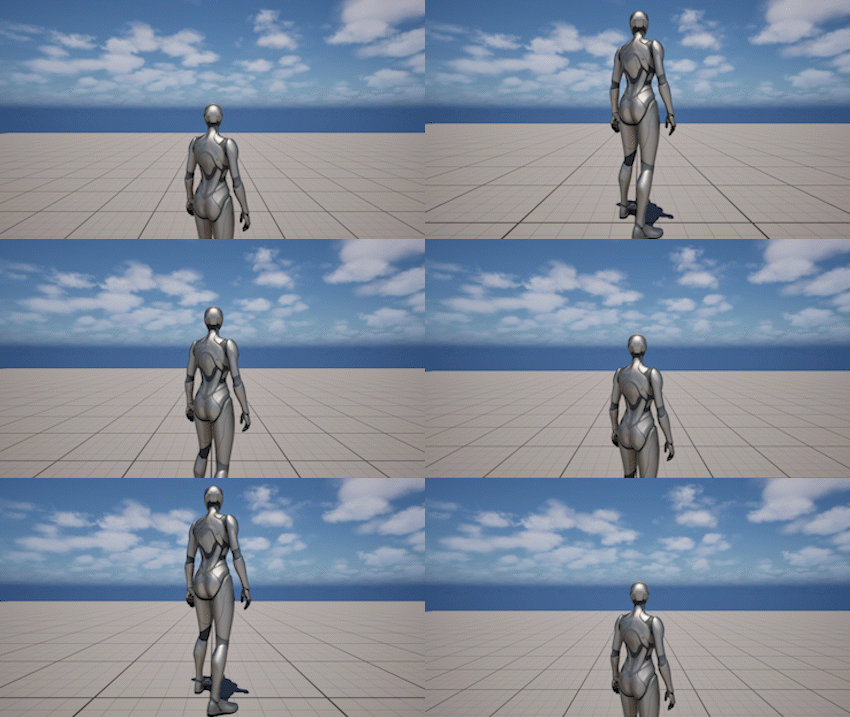
Pivot Offset
There are two independent offset systems:
- Pivot Offset shifts the pivot position in world space
- Camera Offset shifts the camera relative to the final calculated position
This distinction is important:
- Pivot offset changes the center of rotation
- Camera offset changes framing without affecting rotation
Both offsets are applied on top of their base values and can also be modified at runtime.
Base Values and Runtime Values
The system separates base settings from runtime values.
- Base values are defined on the component (e.g.
CameraDistance,PivotHeight) - Runtime values are temporary overrides applied through functions like
SetCameraDistance,SetFraming, etc.
Runtime changes:
- do not modify the base settings
- can be blended over time
- can be reset back to base values
This allows dynamic camera behavior without losing the original configuration.
Runtime Blending
Most runtime changes are applied using smooth interpolation instead of instant transitions.
Functions typically support:
BlendTime- duration of the transition- optional
BlendCurve- custom interpolation shape
Blending is used across the system:
- framing changes
- camera rotation
- focus transitions
- spline transitions
This ensures consistent and predictable camera movement.
Camera Update Pipeline
Each frame, the camera is calculated through a fixed pipeline:
- Input and rotation logic
- Pivot calculation
- Framing (distance, height, offsets)
- Pitch and speed-based modifiers
- Collision resolution
- Final camera transform
Understanding this order helps explain how different systems interact and why some values override others.
Focus as a Camera State
Focus is a temporary camera state that overrides normal rotation behavior.
When focus is active:
- the camera rotates toward a target (Actor, Component, Socket, or Location)
- player input may be restricted or blended depending on the focus mode
- optional limits and auto-clear conditions can be applied
Focus is not just a helper function - it changes how the camera behaves while active.
Spline as a Temporary Camera Mode
Spline camera is a temporary mode that replaces the default camera behavior.
When a spline is active:
- the camera position is driven by the spline
- rotation can follow the player or a specific target
- gameplay camera is temporarily overridden
Two modes are supported:
- Timed - plays along the spline over time
- Tethered - follows the player along the spline
Once the spline finishes, the system smoothly returns to the gameplay camera.
No SpringArm
This system does not use SpringArmComponent.
- Camera position, rotation, and collision are handled internally
- Attaching the camera to a SpringArm is not supported
- All behavior is deterministic and controlled by this component
This approach removes hidden engine behavior and provides full control over the camera system.