Camera Shake
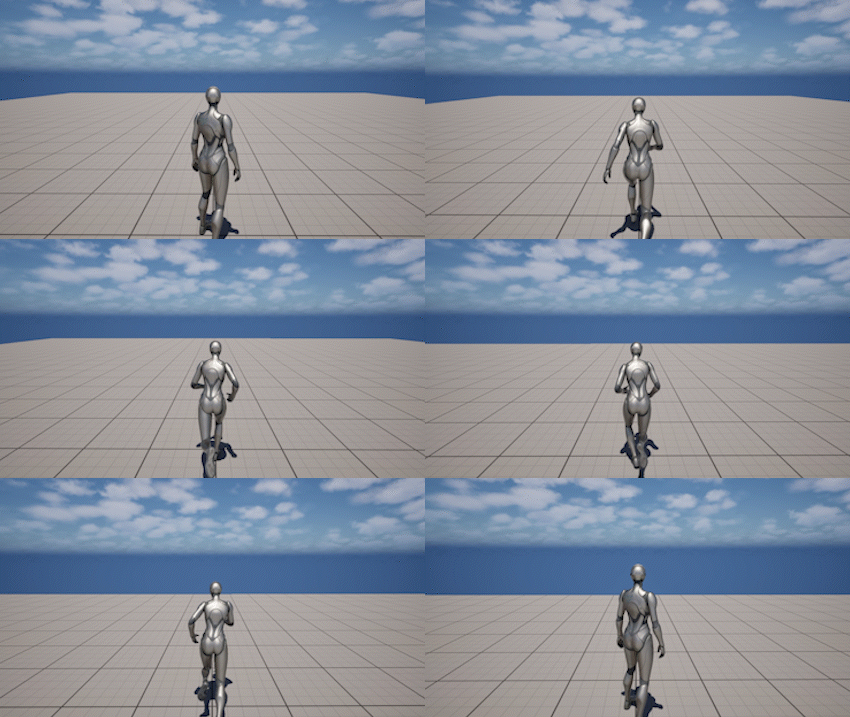
The Camera Shake system adds procedural camera motion for gameplay feedback and environmental effects.
It is commonly used for:
- footsteps and movement feedback
- impacts and explosions
- subtle idle motion
- environmental effects
Camera Shake can be used in two ways:
- automatically through built-in settings on the component
- manually through runtime functions
Camera Shake Assets
Camera Shakes use Unreal Engine’s built-in CameraShakeBase system.
To create a camera shake:
- Right-click in the Content Browser
- Select Blueprint Class
- Search for CameraShakeBase
- Create a Blueprint based on CameraShakeBase
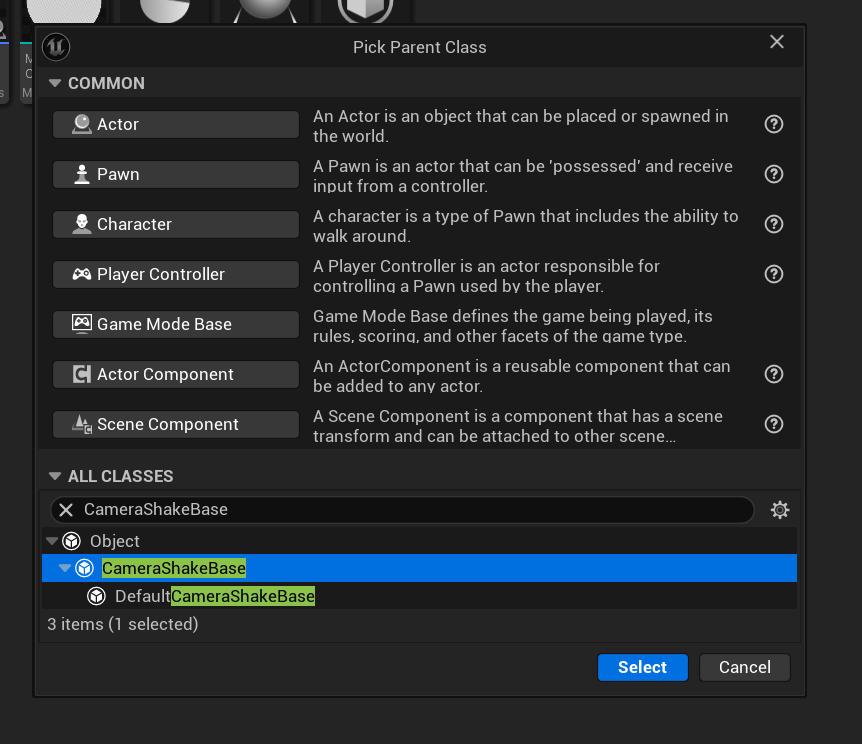
Open the created asset to configure the shake behavior.
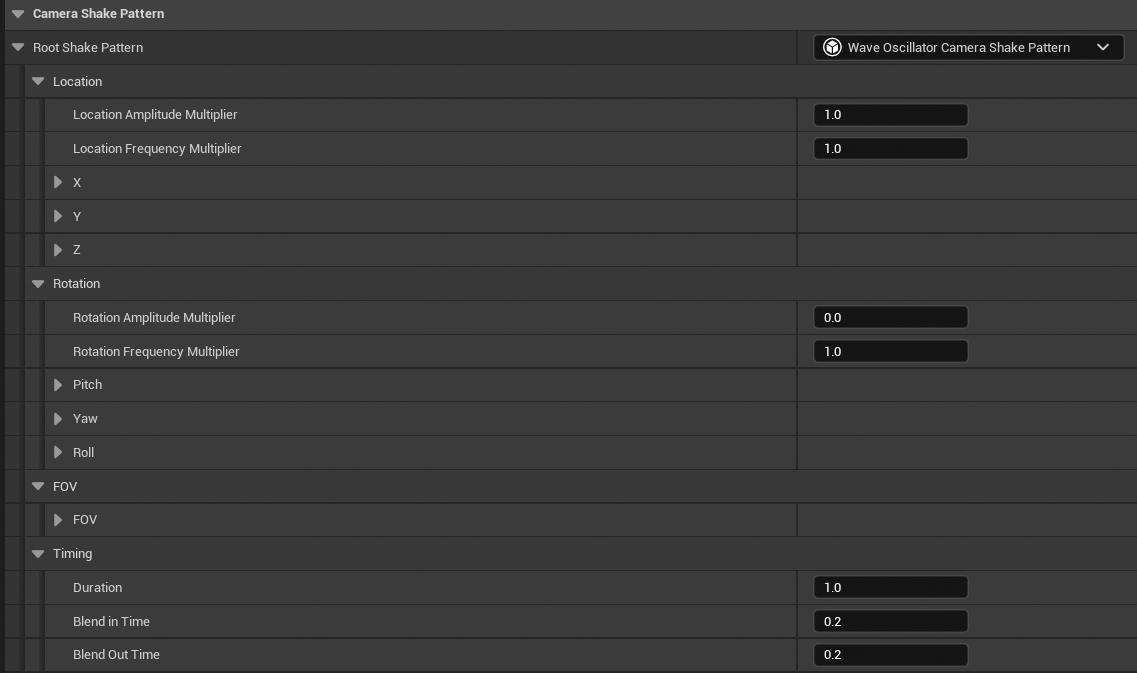
Camera shakes are defined using procedural patterns such as:
- location oscillation
- rotation oscillation
- FOV changes
The most commonly used pattern is Wave Oscillator, which produces smooth periodic motion.
Key Settings
- Amplitude - controls how strong the shake is
- Frequency - controls how fast the shake oscillates
- Duration - how long the shake lasts
- Blend In / Blend Out - smooth start and end
In most cases, smaller amplitude values produce more natural results.
Built-in Shake System
The component provides a built-in system for automatic camera shake.
This system applies shake based on character state without requiring manual calls.
The plugin also includes two ready-to-use Camera Shake assets:
- CS_Idle - base shake for idle state
- CS_Movement - base shake for movement
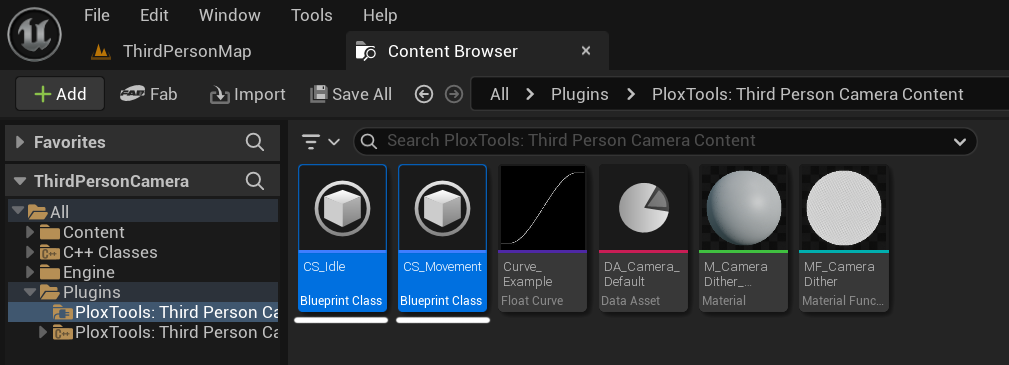
These can be used directly or customized to fit your project.
Important
To enable camera shake, you must assign a Camera Shake asset:
- set Idle Camera Shake Class for idle
- set Movement Camera Shake Class for movement
If no shake asset is assigned, enabling the system will have no effect.
Idle Shake
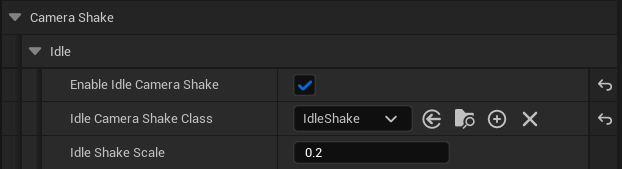
- Enable Idle Camera Shake - enables shake when the character is not moving
- Idle Camera Shake Class - shake asset used during idle
- Idle Shake Scale - intensity multiplier
Idle shake is typically subtle and used to add life to the camera.
Movement Shake
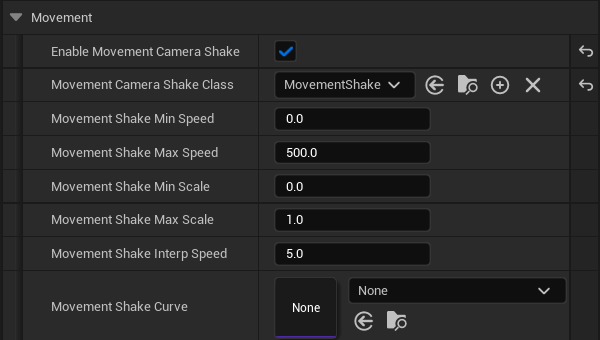
- Enable Movement Camera Shake - enables shake based on movement speed
- Movement Camera Shake Class - shake asset used during movement
- Movement Shake Min Speed - speed at which shake begins
- Movement Shake Max Speed - speed at which shake reaches full intensity
- Movement Shake Min Scale - intensity at minimum speed
- Movement Shake Max Scale - intensity at maximum speed
- Movement Shake Interp Speed - how quickly intensity changes
- Movement Shake Curve - optional curve controlling intensity scaling
Movement shake automatically adjusts intensity based on character speed.
Important Note
For Idle and Movement shake systems, the Camera Shake asset should use:
- Duration = 0.0
This makes the shake loop indefinitely, allowing the component to control when the shake starts, scales, and stops.
If Duration is set to a finite value, the shake will stop automatically and may not behave correctly when used as a continuous effect.
Playing Camera Shake Manually
Camera Shakes can also be played manually at runtime.
To play a shake:
- Play Camera Shake
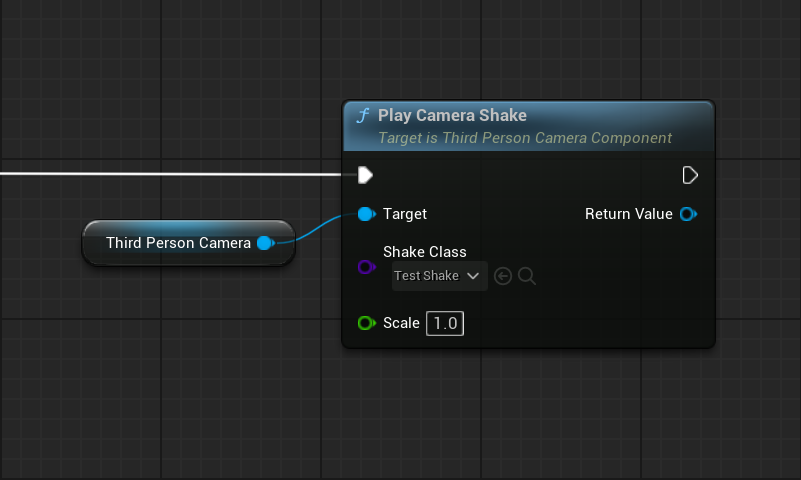
This function:
- plays the specified Camera Shake class
- returns a reference to the active shake instance
- allows optional scaling
Manual shakes are typically used for:
- weapon recoil
- impacts
- scripted events
Stopping Camera Shakes
You can stop shakes at any time:
- Stop Camera Shake - stops a specific shake instance
- Stop All Camera Shakes - stops all active shakes
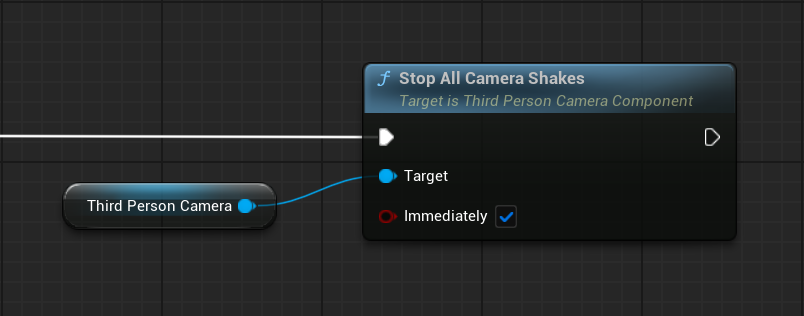
Stopping can be:
- immediate
- or smoothly blended out
Behavior
Camera Shakes are procedural and additive.
This means:
- they are applied on top of the current camera
- they do not override framing, rotation, or focus
- multiple shakes can run at the same time
Built-in shakes and manually triggered shakes can work together.
Runtime Control
The Camera Shake system is controlled through runtime functions.
For a complete list of functions and parameters, refer to the API Reference.
Main Functions
- Play Camera Shake - plays a camera shake and returns the active shake instance
- Stop Camera Shake - stops a specific camera shake instance
- Stop All Camera Shakes - stops all active camera shakes
Notes
- Camera Shakes use Unreal Engine’s built-in system
- Built-in shakes are automatic and driven by character state
- Manual shakes are event-driven and triggered at runtime
- Multiple shakes can be active simultaneously
- Use Camera Shake for procedural motion and Camera Animations for authored motion