Focus
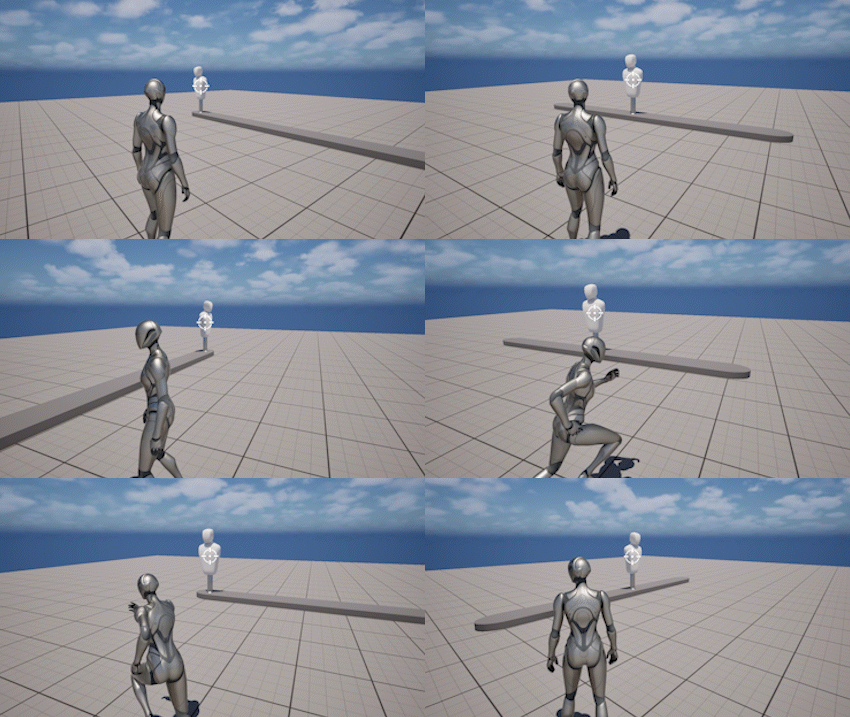
The Focus system allows the camera to track a specific target or location.
It is used when the camera needs to stay oriented toward something important, such as enemies, interactable objects, or cinematic points of interest.
When focus is active, it temporarily overrides normal camera rotation and controls how the camera tracks the target.
Using Focus
Focus is controlled through runtime functions on ThirdPersonCameraComponent.
You can start focus using different target types:
- Set Focus Actor
- Set Focus Actor Socket
- Set Focus Actor Component
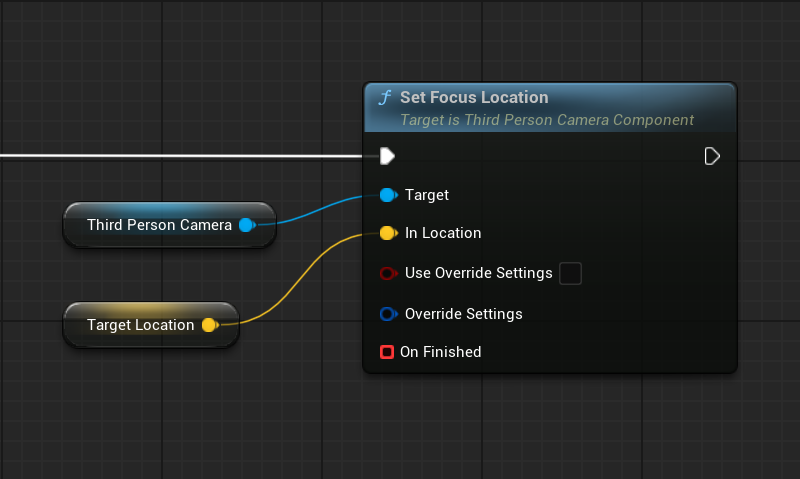
- Set Focus Location
Each function defines what the camera should track.
Target Types
The focus system supports multiple target types:
- Actor - tracks the Actor location
- Component - tracks a specific component
- Socket - tracks a socket on a skeletal mesh
- Location - tracks a fixed world position
If a socket is not found, the system falls back to the Actor location.
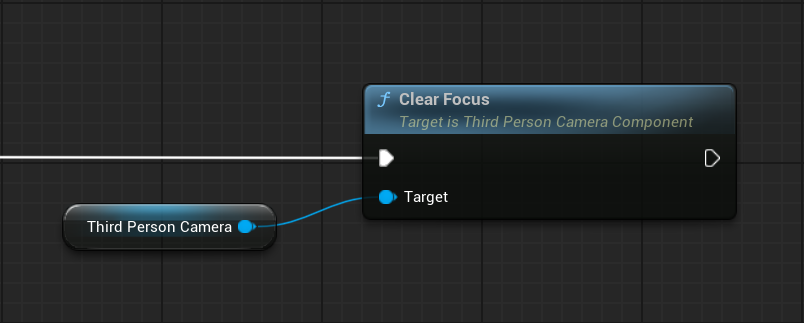
To stop focusing, call:
- Clear Focus
Override Settings
Focus functions support per-call settings overrides.
This allows you to change focus behavior for a specific use case without modifying the component’s default settings.
To use overrides:
- Enable Use Override Settings
- Provide Override Settings
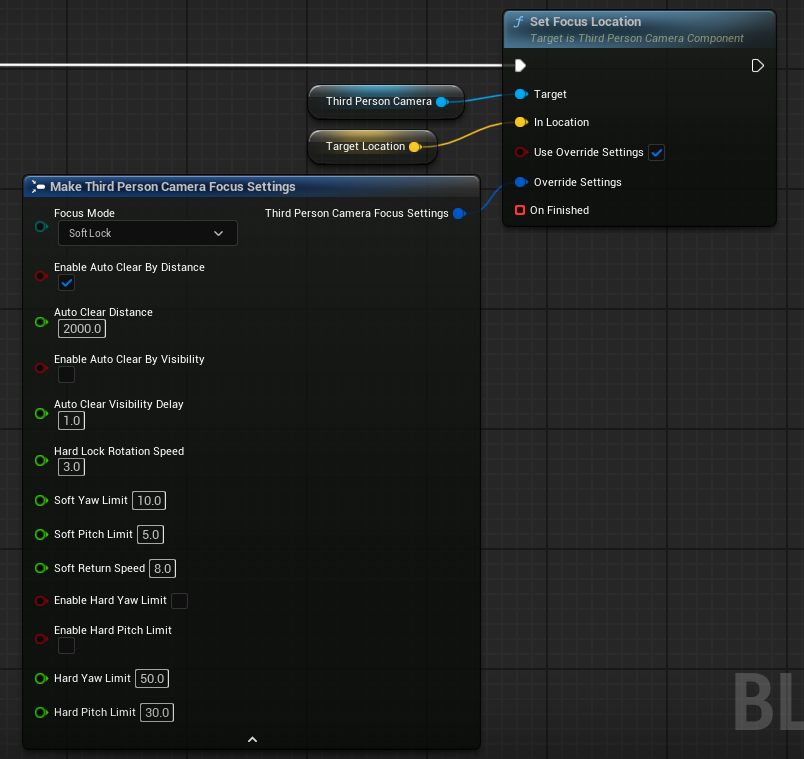
When enabled, the camera will use the provided settings only for this focus instance.
This is useful for:
- switching between Hard Lock and Soft Lock dynamically
- adjusting rotation speed for specific targets
- changing limits for special gameplay situations
If overrides are not enabled, the component’s default Focus Settings are used.
Behavior
Hard Lock vs Soft Lock
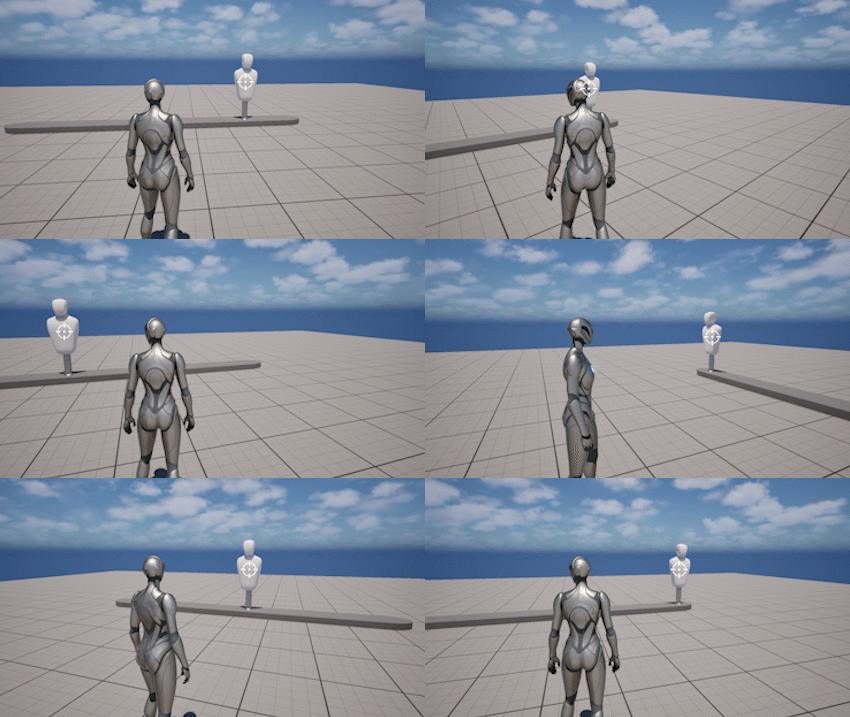
Focus can operate in two main modes:
- Hard Lock - the camera strictly follows the target and keeps it centered
- Soft Lock - the camera follows the target more loosely and blends with player input
Hard Lock
Soft Lock
Hard Lock is typically used for precise tracking (lock-on systems) while Soft Lock is used for more natural or cinematic behavior.
Settings
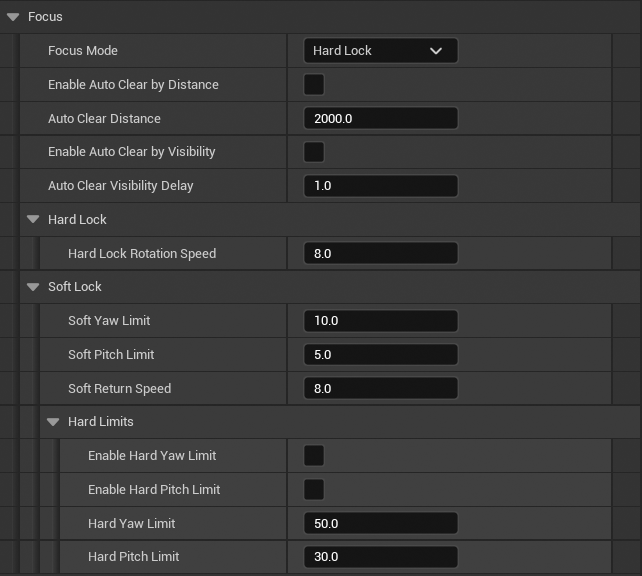
The focus system is defined by a set of parameters that control how the camera tracks, maintains, and exits focus.
These settings define the behavior of the camera while focus is active.
- Focus Mode - defines how the camera tracks the target. Hard Lock fully aligns the camera toward the target, while Soft Lock allows limited player control within defined bounds
- Auto Clear by Distance - enables automatic focus removal when the target is too far from the pivot
- Auto Clear Distance - maximum allowed distance to the target before focus is cleared
- Auto Clear by Visibility - enables automatic focus removal when the target is no longer visible from the pivot
- Auto Clear Visibility Delay - time the target must remain invisible before focus is cleared to prevent flickering
Hard Lock
- Hard Lock Rotation Speed - controls how quickly the camera rotates toward the target in Hard Lock mode
Soft Lock
- Soft Yaw Limit - maximum yaw angle the player can rotate away from the target before automatic return begins
- Soft Pitch Limit - maximum pitch angle the player can rotate away from the target before automatic return begins
- Soft Return Speed - controls how quickly the camera returns toward the target when limits are exceeded
Soft Lock Hard Limits
- Enable Hard Yaw Limit - prevents rotation beyond the defined yaw limit
- Enable Hard Pitch Limit - prevents rotation beyond the defined pitch limit
- Hard Yaw Limit - maximum allowed yaw deviation from the target
- Hard Pitch Limit - maximum allowed pitch deviation from the target
These settings can be configured on the component or overridden per focus call using OverrideSettings.
Events and Lifecycle
Focus is a state-driven system with clear transitions and callback support.
The system provides:
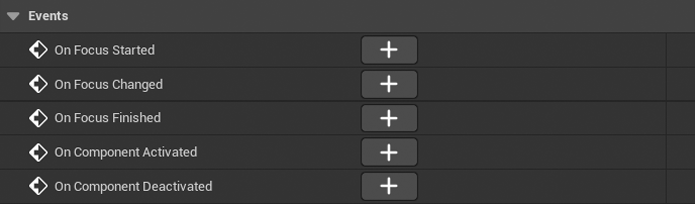
- global events on the component
- local callback per individual focus call
This allows you to react either to all focus changes globally or only to a specific focus request.
Global Events
These events are exposed on ThirdPersonCameraComponent and provide information about focus state changes.
OnFocusStarted
Called when a new focus begins.
Returns:
- New Focus - contains information about the current focus target and its state
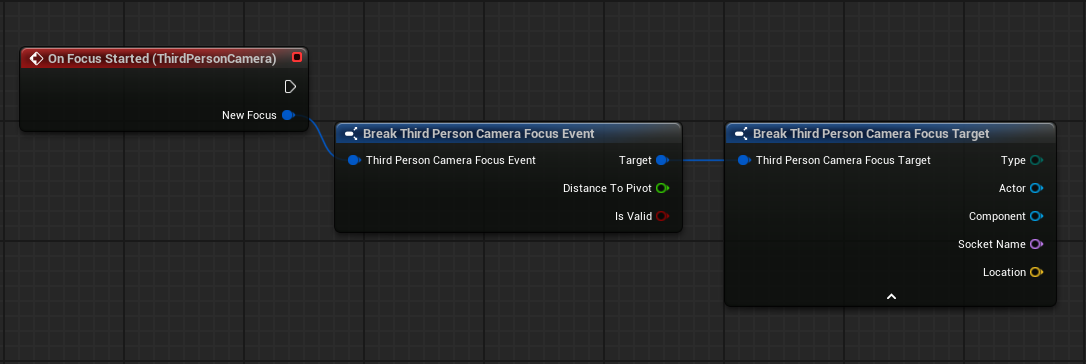
Use this event to:
- update UI (lock-on indicators, widgets)
- trigger gameplay logic when entering focus
- initialize systems that depend on a focused target
OnFocusChanged
Called when the focus target changes directly from one target to another.
Returns:
- Previous Focus - the previous target
- New Focus - the new target
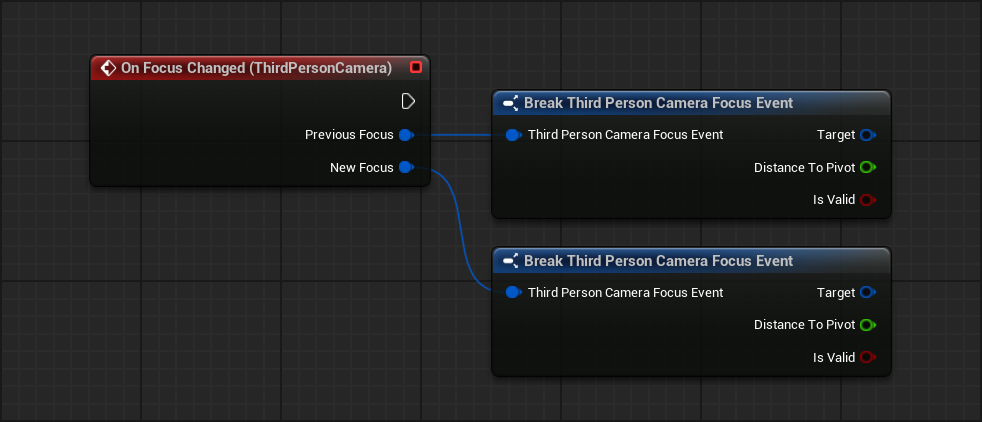
This event is triggered only on meaningful changes, such as:
- switching to a different Actor
- switching to a different socket
It is not triggered when reapplying the same target.
Use this event to:
- update UI when switching targets
- refresh target-dependent logic
- react to dynamic target changes
OnFocusFinished
Called when focus ends.
Returns:
- Previous Focus - the last active target
- Reason - why the focus ended (EFocusLostReason)
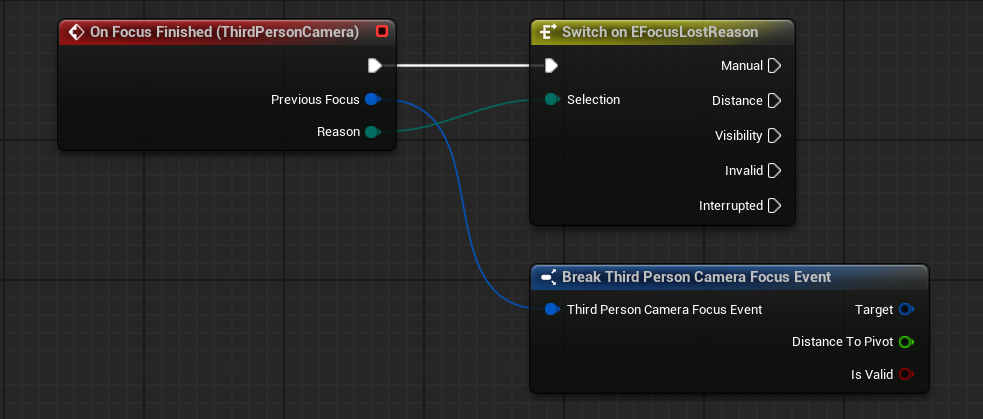
Possible reasons include:
- manual clear
- distance threshold exceeded
- target not visible
- target became invalid
- focus interrupted by a new focus
Use this event to:
- clean up UI
- stop target-related logic
- react differently depending on the reason
Local Callback
Each focus function also supports a local callback:
- OnFocusFinishedLocal
This callback is passed directly into the focus function and is executed once when that specific focus instance ends.
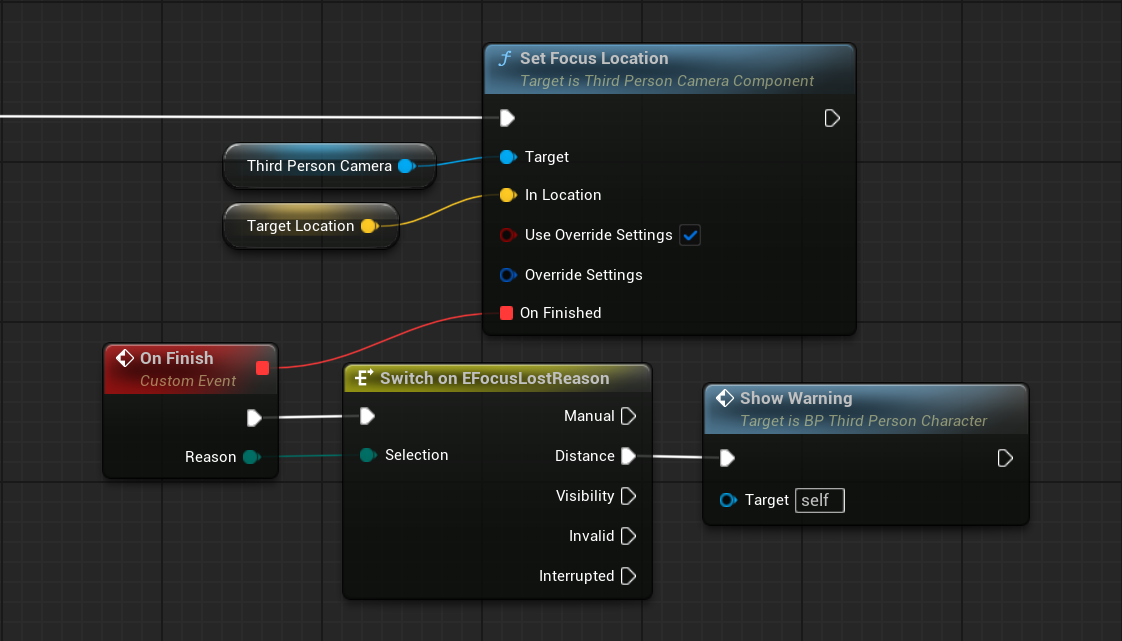
Returns:
- Reason - why the focus ended
Use this when:
- you only care about a single focus request
- you want localized logic without subscribing to global events
Focus Data
All events provide structured information about the focus target, including:
- what is being tracked (Actor, Component, Socket, or Location)
- distance from the camera pivot
- whether the target is valid
For a detailed breakdown of the data structures, refer to Focus Structures
Focus End Conditions
Focus can end in several ways:
- manual call to Clear Focus
- automatic clear (distance or visibility)
- replacing the current focus with a new one
All cases trigger:
- OnFocusFinished (global)
- OnFocusFinishedLocal (if provided)
Runtime Control
The focus system is controlled through runtime functions.
For a complete list of functions and parameters, refer to the API Reference.
Main Functions
- Set Focus Actor - sets focus to the specified Actor
- Set Focus Actor Socket - sets focus to a specific socket on the Actor’s skeletal mesh
- Set Focus Actor Component - sets focus to a specific Scene Component
- Set Focus Location - sets focus to a fixed world location
- Clear Focus - clears the current focus and returns the camera to normal behavior
Notes
- Focus overrides normal camera rotation while active
- Behavior is defined by focus settings (Hard / Soft)
- Target type defines what the camera tracks
- Override settings apply only to the specific focus call
- Local callbacks are tied to individual focus instances